
ID: com.alxdroiddev.kioskit
Version: 1.0
Size: 0 Mb
Android Version: 3.0 - 3.2
Secure Web Kiosk Screenshots
What's new in Secure Web Kiosk 1.0
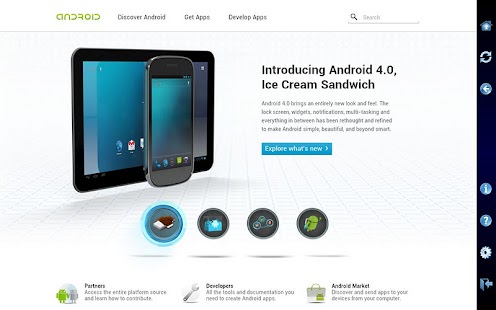
Secure Web Kiosk for HoneycombSecure Web Kiosk (SWK) is a web browser application built for Android Honeycomb (3.0 ~ 3.2) tablets that prevents the user from switching to other applications while browsing the internet. That means the tablet is completely locked down a single activity: internet browsing. Even quitting the application requires knowing the master password.
All the security features can be enabled/disabled by the master user through passwords. Therefore, once SWK is properly configured and a default website has been set, the device is secure from an user’s malicious intents, since there won’t be any access to any other of the tablet’s features.
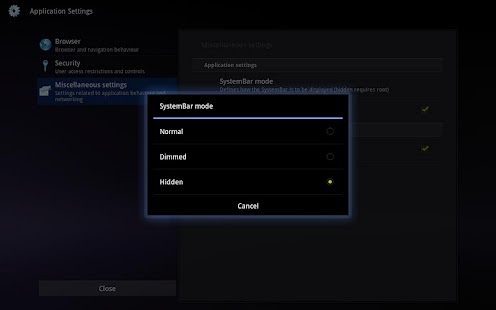
On rooted devices, even the SystemBar can be hidden (requires root access and SU permission), thus effectively locking down the user.
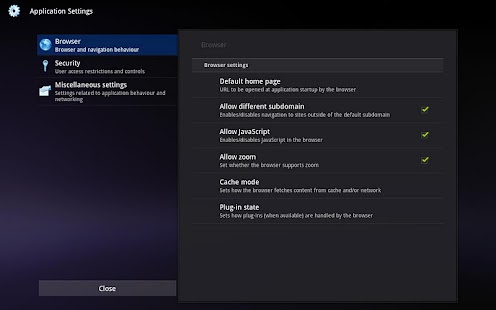
SWK uses Androids built-in web browser (WebKit/Chrome), and offers ways for the master user to control many of its settings, such as JavaScript, plugins, zooming, cache mode, etc.
Among the main features of SWK, are:
- Use of a master password for quitting the application or changing settings
- Ability to show / dim / hide the SystemBar (*)
- Access to a non-intrusive, custom toolbar through the Volume UP key
- Configurations for several browser settings and behaviour, such as Javascript, plugins, zooming, cache usage mode
- Honeycomb-style preferences and settings
- Ability to prevent users from navigating to a different subdomain other than that of the default web address
- Ability to prevent de device from sleeping while in kiosk mode
- Detailed documentation and manual integrated to the application
SWK is a well maintained software, and will often receive additional features and enhancements, and is currently supported in English and Portuguese.
(*) Hiding the SystemBar requires a rooted device and giving SWK SuperUser (SU) permissions. Having a tablet running a completely secure web kiosk requires this feature, otherwise users will be able to leave the application using the HOME button.
(**) Hiding the SystemBar will not work in ICS or Gingerbread, even with root and SU permissions.
Secure Web Kiosk Permissions
Full network access - allows the app to create network sockets and use custom network protocols. the browser and other applications provide means to send data to the internet, so this permission is not required to send data to the internetPrevent device from sleeping - allows the app to prevent the device from going to sleep
Connect and disconnect from wi-fi - allows the app to connect to and disconnect from wi-fi access points and to make changes to device configuration for wi-fi networks
Close other apps - allows the app to end background processes of other apps. this may cause other apps to stop running
View wi-fi connections - allows the app to view information about wi-fi networking, such as whether wi-fi is enabled and name of connected wi-fi devices
Google play license check - google play license check
View network connections - allows the app to view information about network connections such as which networks exist and are connected
Download Secure Web Kiosk lastet APK
Search terms:
How to download Secure Web Kiosk 1.0 apk for pc
Download Secure Web Kiosk unlimited apk for PC
Secure Web Kiosk 1.0 modded apk
Secure Web Kiosk full mod apk